
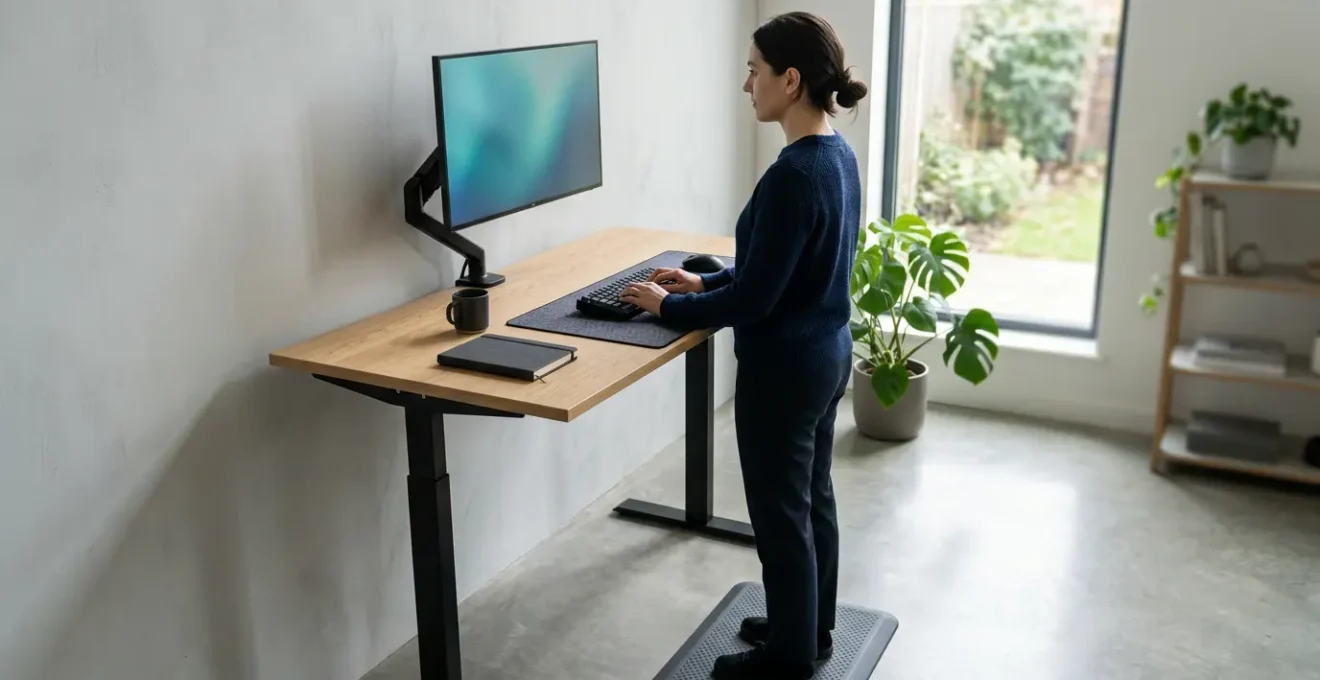
Your standing desk, when used incorrectly, is likely making your severe back pain worse by trading one static posture for another.
- The solution is not standing longer, but mastering timed, dynamic posture changes to actively decompress the spine.
- Success depends on precise biomechanical calibration of your desk, monitor, and mat to encourage constant micro-movements.
Recommendation: Treat your desk as a prescriptive therapeutic tool. This guide provides the exact clinical protocols to do so.
If you’re reading this, you likely know the feeling all too well: that deep, searing ache in your lower back, or the sharp, radiating pain of sciatica that shoots down your leg after ten hours chained to your desk. In the shift to remote work, the adjustable standing desk was hailed as the universal cure for this modern malady. You invested in one, believing it would be the key to a pain-free workday. Yet, the pain persists, and in some cases, may have even worsened.
The common advice is frustratingly simplistic: « stand more, » « alternate sitting and standing, » « get a good mat. » But what if I told you, as an occupational osteopath who specializes in desk-bound injuries, that this advice is dangerously incomplete? The problem isn’t sitting or standing; it’s stasis. Simply swapping hours of static sitting for hours of static standing is a trap that trades one set of musculoskeletal problems for another, from foot pain to venous pooling in your legs.
The true key to conquering WFH back pain lies in a concept I call dynamic oscillation. It’s a prescriptive approach that transforms your desk from a piece of furniture into a therapeutic device. This isn’t about simply standing; it’s about mastering the precise biomechanics of frequent, timed transitions, correct height calibration, and an environment that encourages constant, subtle micro-movements. This guide will provide the clinical, step-by-step protocol to re-engineer your workstation, eliminate pain, and reclaim your body.
This article provides a comprehensive, osteopath-led framework for transforming your standing desk into a tool for spinal health. Explore the detailed sections below to master each critical component of a truly ergonomic setup.
Summary: A Clinical Guide to Eradicating Desk-Related Back Pain
- Why Standing for 8 Hours Straight is Actually Worse Than Sitting All Day?
- In What Exact Time Intervals Should You Alternate Between Sitting and Standing?
- How to Calibrate Your Desk Height Precisely to a 90-Degree Elbow Angle
- The Anti-Fatigue Mat Oversight That Causes Severe Plantar Fasciitis Over Time
- Which Encourages Actual Daily Usage More Between Motorized and Manual Crank Desks?
- Why Traditional Hour-Long Jogging Burns Less Fat Than Short Intense Sprints?
- The Monitor Height Mistake That Causes Chronic Cervical Neck Strain
- How to Design an Ergonomic Executive Home Office That Commands Respect on Video Calls
Why Standing for 8 Hours Straight is Actually Worse Than Sitting All Day?
The fundamental error in the popular standing desk narrative is the belief that standing is the « good » posture and sitting is the « bad » one. From a biomechanical perspective, the enemy is not a specific position but prolonged static loading. Your body is designed for movement. When you stand motionless for extended periods, you are simply trading the spinal compression of sitting for a host of other physiological stressors. The load on your lumbar spine might decrease, but you dramatically increase the strain on your lower limbs, feet, and circulatory system.
This isn’t just theory; it’s proven. Research shows that standing for long periods is linked to an increased risk of varicose veins and other circulatory issues as blood pools in the legs. In fact, a comprehensive analysis found that health risk begins at 2 hours per day of static standing. This creates a state of orthostatic intolerance, where your heart has to work harder to pump blood back up from your feet, leading to fatigue, swelling, and a feeling of heaviness. Furthermore, the constant load on the joints of your feet, ankles, and knees can lead to its own set of debilitating conditions, like plantar fasciitis.
Ultimately, a full day of standing forces your stabilizing muscles in your legs and core into a state of constant, low-level contraction. This isometric work, sustained for hours, leads to muscle fatigue, which in turn causes you to lock your knees, shift your hips, and adopt poor postures that re-introduce strain on your lower back. You’ve simply swapped one dysfunctional pattern for another. The solution, therefore, isn’t to abandon sitting, but to break the cycle of stasis altogether.
In What Exact Time Intervals Should You Alternate Between Sitting and Standing?
If stasis is the enemy, then movement is the cure. But « move more » is not a prescription. For patients suffering from severe sciatica, we need a precise, evidence-based protocol. The goal is dynamic oscillation: a rhythm of postural change that keeps your muscles engaged, your circulation flowing, and your spinal discs decompressed. You are not just changing position; you are actively managing your body’s physiological state throughout the day.
Recent ergonomic research has moved beyond vague recommendations to identify an optimal rhythm. The most effective approach is not a 50/50 split. A 2025 Griffith University study published in Applied Ergonomics found that the ideal ratio for reducing lower back pain and maximizing comfort is 30 minutes of sitting followed by 15 minutes of standing. This 30:15 cycle is short enough to prevent the onset of static load fatigue in either position. The sitting phase provides a rest for your lower limbs, while the standing phase re-engages your core, improves blood flow, and shifts the load off your lumbar discs.
Beyond the clock, you must also learn to listen to your body’s own cues. These are the subtle signals that your body is beginning to fatigue in a static position. Pay attention to them.
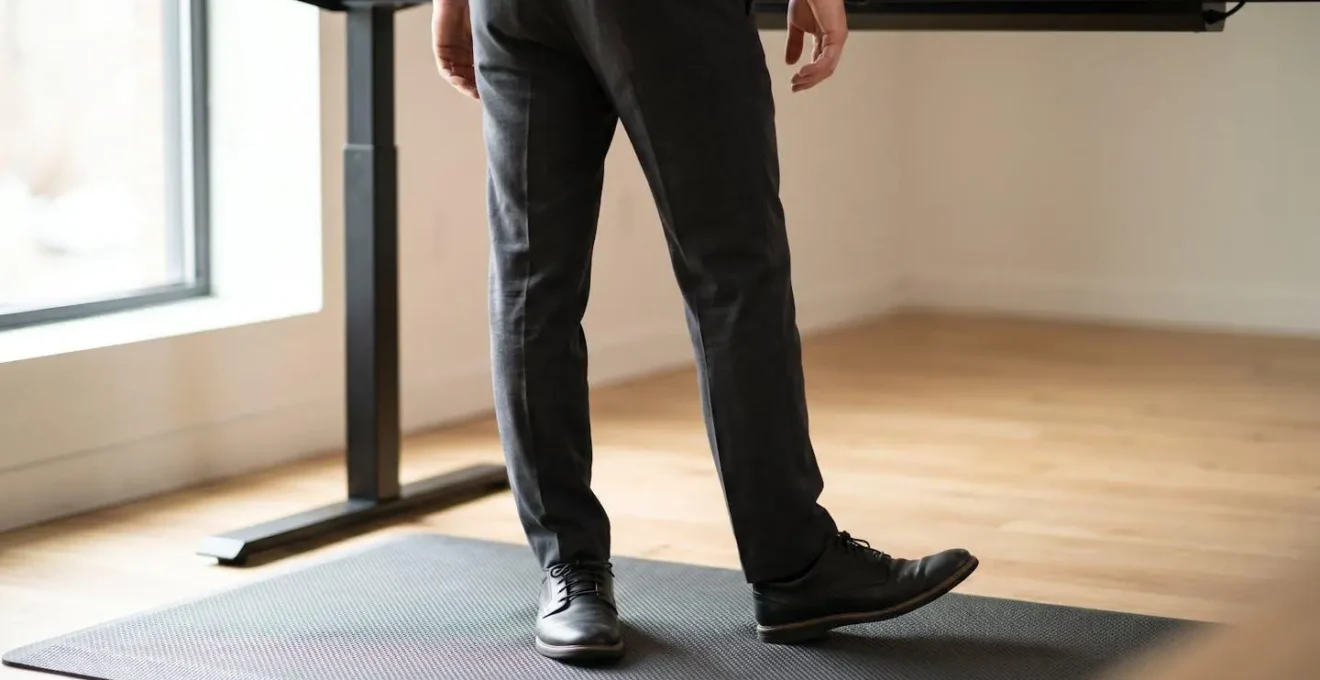
As the image above suggests, these cues can be as small as an urge to shift your weight from one foot to the other, a feeling of stiffness in your knees, or a dull ache beginning in your lower back. These are not signs of failure; they are your body’s request for change. When you feel them, it’s time to switch positions, even if the timer hasn’t gone off. This combination of a structured time interval and intuitive body awareness is the cornerstone of a truly therapeutic standing desk practice.
How to Calibrate Your Desk Height Precisely to a 90-Degree Elbow Angle
An adjustable desk is useless—or even harmful—if it’s not set to your unique body dimensions. The common « 90-degree elbow angle » advice is a good starting point, but achieving it requires a precise calibration protocol. An improperly set height, even by an inch, can introduce tension in the shoulders, neck, and wrists, completely negating the benefits of standing. As an osteopath, I guide patients through a process I call biomechanical calibration, treating the setup like fitting a medical prosthetic.
Your desk height isn’t a single number; it’s a dynamic setting that must account for your footwear, flooring, and posture in both seated and standing positions. Forgetting to account for the half-inch sole of your shoes or the one-inch thickness of your anti-fatigue mat can throw the entire system out of alignment. The goal is to create a « neutral » upper body posture where your joints are in their least-strained position: shoulders relaxed, forearms parallel to the floor, and wrists straight.
Follow this clinical protocol to find your perfect sitting and standing heights. This is not a one-time setup; you should re-calibrate anytime you change your chair, shoes, or mat.
Action Plan: Your Desk Height Calibration Protocol
- Wear your most common work shoes. This factor is critical as it can alter your height significantly.
- Stand on your anti-fatigue mat if you use one. This establishes your true standing height.
- Adjust the desk so your forearms are parallel to the floor, with your elbows at or slightly above a 90-degree angle. Your shoulders should be relaxed, not hunched.
- Position your hands over your keyboard. Your wrists must be in a neutral alignment, not bent upwards (extension) or downwards (flexion).
- Program this exact height into your desk’s memory preset 1. This is your calibrated standing position.
- Sit in your chair with your feet flat on the floor. Repeat the process of achieving a 90-degree elbow angle and neutral wrists, then program this as memory preset 2.
- In both positions, verify that the top of your monitor is at or slightly below eye level. You may need a separate monitor arm to achieve this.
By programming these two precise positions into your desk’s memory presets, you remove any guesswork. This makes transitioning between postures frictionless, which is critical for maintaining the dynamic oscillation rhythm throughout your day.
The Anti-Fatigue Mat Oversight That Causes Severe Plantar Fasciitis Over Time
Once you begin a regular standing routine, the next logical step is an anti-fatigue mat. However, a critical oversight is leading many users to trade back pain for severe foot pain like plantar fasciitis. The mistake is choosing a passive, flat mat over an active, contoured one. A simple flat piece of foam may feel comfortable initially, but it does little to combat the root cause of fatigue: stasis.
The entire purpose of a quality anti-fatigue mat is to create an unstable surface. As the NoTrax Scientific Research Team explains, these mats are engineered « to make the body naturally and imperceptibly sway, which encourages subtle movement by calf and leg muscles. » This constant, subconscious shifting, or postural micro-movements, activates your calf muscle pump. This action is vital for pushing blood back up towards your heart, preventing the venous pooling and leg fatigue we discussed earlier. A flat, overly squishy mat can actually inhibit this by dampening feedback from the ground, encouraging you to lock your knees and stand motionless.
For individuals with or at risk for plantar fasciitis, a flat mat is even more problematic. It provides no support for the foot’s natural arches. An active mat, by contrast, features contoured terrain—ridges, mounds, and varied textures—that stimulates the nerves on the bottom of your feet and supports the plantar fascia.
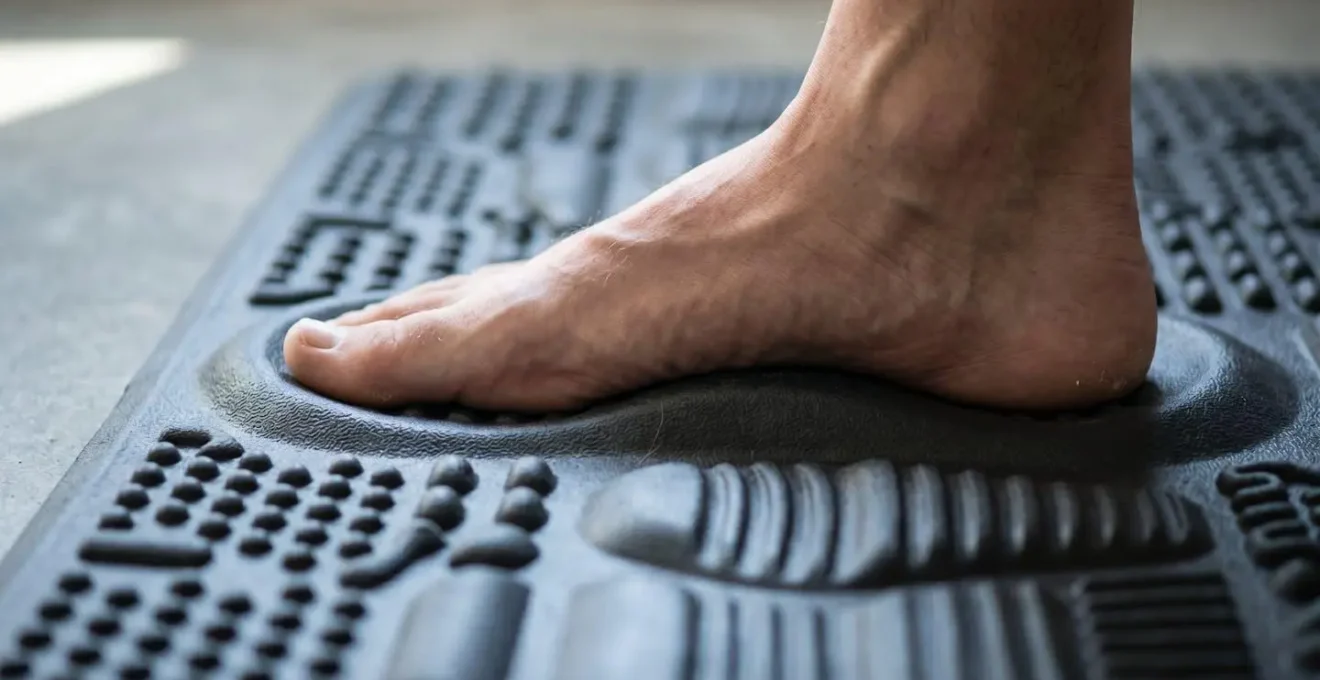
As this detailed view shows, the varied topography of an active mat invites your feet to move. You’ll find yourself naturally shifting your stance, pressing into the massage nubs, and stretching your arches without even thinking about it. This proprioceptive feedback is not just for comfort; it’s a crucial part of the dynamic system that keeps your entire posterior chain, from your feet up to your spine, mobile and healthy. Choosing a flat mat is choosing a static surface, which ultimately defeats the purpose of standing.
Which Encourages Actual Daily Usage More Between Motorized and Manual Crank Desks?
We’ve established that frequent posture changes are the key to managing back pain. This brings us to a crucial, practical question: which type of desk—motorized or manual—actually facilitates this behavior? While a manual crank desk is often cheaper, its long-term therapeutic value is significantly lower for one simple reason: activation energy. This is the initial effort required to start a task. For someone dealing with fatigue or the debilitating pain of sciatica, the physical effort of rotating a crank dozens of times to change the desk height represents a high barrier.
As ergonomics researchers at Autonomous note, « Manual crank desks might discourage you from switching postures because of the effort required. Over time, that might mean you sit more than you intended—which defeats the purpose of owning a sit-stand desk. » When you are in a state of pain, you will subconsciously avoid any action that requires extra effort. The thought of leaning over and cranking for 30-60 seconds becomes a deterrent. In contrast, a motorized desk with memory presets reduces the activation energy to nearly zero: a single button press.
This difference in effort is not a minor inconvenience; it is the deciding factor in whether you will adhere to the 30:15 dynamic oscillation protocol or abandon it. A motorized desk makes posture changes frictionless and instantaneous, encouraging the very behavior we know is essential for spinal health. The initial higher cost is an investment in long-term adherence and, therefore, better clinical outcomes.
The following table, based on an analysis of desk adoption factors, breaks down the critical differences that influence daily usage.
| Factor | Motorized Electric Desk | Manual Crank Desk |
|---|---|---|
| Adjustment Speed | 10-15 seconds per transition | 30-60 seconds total (3-5 crank rotations per inch) |
| Physical Effort Required | Single button press | Dozens of hand rotations under load |
| Behavioral Barrier (Activation Energy) | Minimal – encourages frequent switching | High – discourages transitions when fatigued or in pain |
| Memory Presets | Yes – programmable height positions | No – manual recalibration each time |
| Price Range | $400-$1,500+ | $200-$600 |
| Long-term Usage Adoption | Higher frequency of sit-stand transitions | Lower adoption rate due to effort barrier |
| Motor Lifespan | 20,000+ adjustment cycles | N/A (mechanical wear on crank system) |
For a remote worker battling chronic pain, the choice is clear. The features of a motorized desk are not luxuries; they are essential therapeutic components that ensure the desk is actually used as intended.
Why Traditional Hour-Long Jogging Burns Less Fat Than Short Intense Sprints?
To truly internalize the principle of dynamic oscillation, it helps to use an analogy from the world of fitness: the difference between low-intensity steady-state cardio (like jogging) and high-intensity interval training (HIIT), like sprinting. Many people assume an hour of jogging must be « better » than 15 minutes of sprinting. But exercise science has shown that the metabolic benefits of HIIT—including fat burning and improved blood sugar regulation—are often superior due to the intense, repeated cycling between high effort and recovery.
Your postural health at a desk works on the exact same principle. A long, uninterrupted period of standing is like a slow jog: it’s low-intensity, and its benefits are minimal and quickly plateau. In fact, the caloric difference is negligible. A Harvard Health study found that standing burns only about 8 more calories per hour than sitting. The goal of standing isn’t to burn calories; it’s to trigger positive physiological responses. A slow, static stand fails to do this effectively.
The 30:15 sit-stand cycle, in contrast, is the postural equivalent of HIIT. Each transition is a « sprint » that reawakens your system. As research from the University of Waterloo confirms, « Frequent posture changes (like interval training) have a more significant positive effect on blood sugar regulation than simply standing for long, uninterrupted periods. » Every time you stand up, you engage your major leg and core muscles, boost circulation, and decompress your spine. Every time you sit down, you give those muscles a brief recovery period, preventing the fatigue that leads to poor posture. It is this frequent *change*—the oscillation itself—that delivers the therapeutic benefit, not the duration spent in any single position.
The Monitor Height Mistake That Causes Chronic Cervical Neck Strain
Your ergonomic chain is only as strong as its weakest link. After perfecting your desk height and sit-stand rhythm, the final major error point is monitor positioning. Incorrect monitor height is a primary driver of chronic cervical neck strain and « tech neck. » The most common mistake is placing the monitor too high, based on the flawed idea that you should be looking « straight ahead. » This forces you to tilt your head backward slightly, compressing the delicate facet joints in your cervical spine for hours on end.
The correct posture involves a neutral head position, where your ear is aligned directly over your shoulder. From this position, your gaze should be directed slightly downward, approximately 10-20 degrees. This means the top of your monitor should be at or slightly below your eye level. This allows you to view the entire screen by moving only your eyes, not your neck. Another critical factor is distance; the monitor should be about an arm’s length away to prevent eye strain and the subconscious urge to crane your head forward.
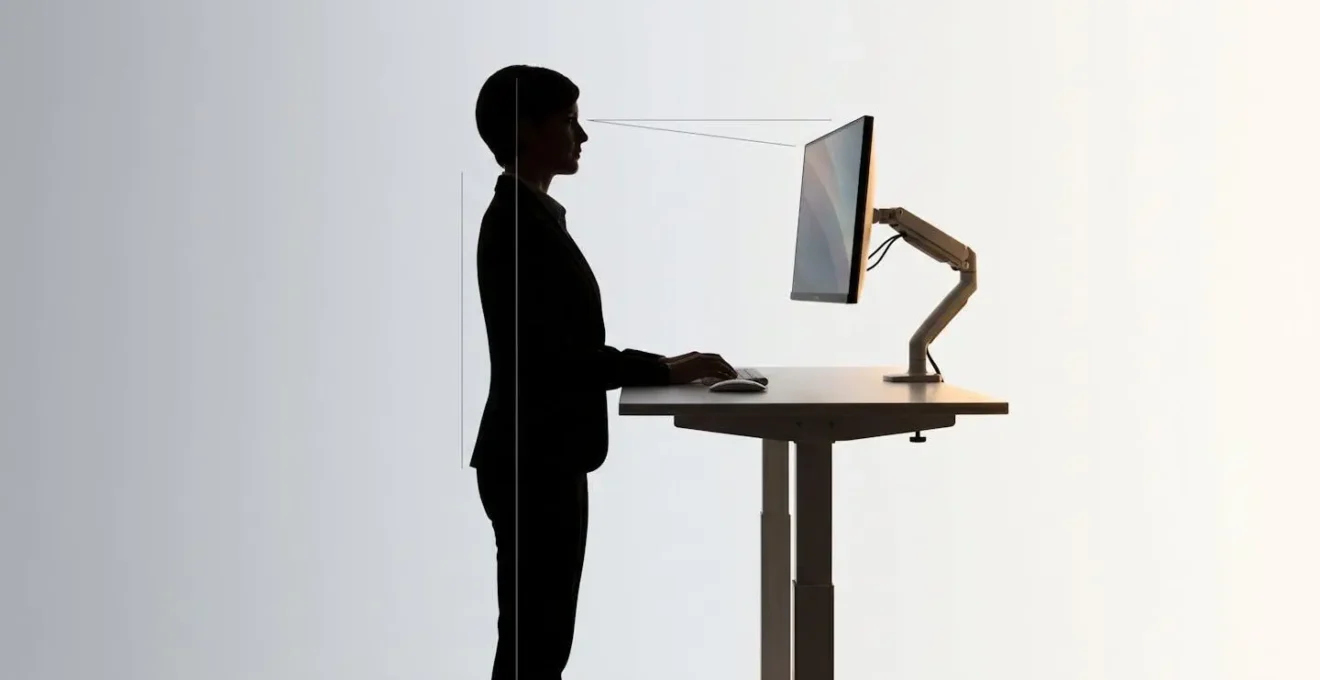
Achieving this precise angle and distance is nearly impossible with a standard monitor stand, especially when alternating between sitting and standing. A high-quality adjustable monitor arm is not a luxury; it is a clinical necessity. It allows you to independently control height, distance, and tilt, ensuring your cervical spine remains in a neutral, decompressed state regardless of your posture. Different users also have different needs:
- Standard users: Position the top of the monitor bezel at or just below eye level.
- Bifocal/progressive lens users: You must lower the monitor significantly, often with the middle of the screen at eye level, to avoid tilting your head back to look through the bottom part of your lenses.
- Distance check: In both sitting and standing positions, the screen should be an arm’s length away. Use the monitor arm to adjust distance as well as height.
- Gaze angle test: With your head neutral, your eyes should naturally land on the top third of the screen. If you’re looking at the middle or bottom, it’s too low. If you’re looking above the top, it’s too high.
Correcting monitor height is often the final piece of the puzzle that alleviates persistent neck and shoulder tension, completing your pain-free workstation.
Key Takeaways
- Dynamic Oscillation: The goal is not to stand more, but to master frequent, timed transitions (e.g., 30 min sitting, 15 min standing) to avoid static postures.
- Precise Calibration is Non-Negotiable: Use a clinical protocol to set distinct, programmed heights for sitting and standing that ensure a 90-degree elbow angle and neutral wrists.
- Active Surfaces are Essential: A flat anti-fatigue mat is insufficient. A contoured, active mat is required to stimulate micro-movements and prevent foot and leg pain.
How to Design an Ergonomic Executive Home Office That Commands Respect on Video Calls
The ultimate goal of this entire process is not just to eliminate pain, but to create an environment where you can perform at your best. A truly ergonomic setup has a powerful, secondary benefit that is especially relevant for the modern executive: it cultivates an ergonomic command presence. When your body is aligned and free from pain, your posture naturally becomes more open, upright, and confident. This non-verbal communication is broadcast to every person on your video calls.
Think about the visual cues of someone in pain: hunched shoulders, a forward-craned neck, constant fidgeting. These signals, however subtle, project an image of stress and weakness. As the UCLA Health Spine Care Team notes, « A proper ergonomic setup that eliminates back pain naturally results in an open, upright posture. This non-verbal cue communicates confidence and authority on video calls. » When you are not subconsciously fighting against your own body, you can dedicate 100% of your focus to the conversation at hand. Your breathing is deeper, your voice is more resonant, and your posture is stable and grounded.
Designing your home office with these clinical ergonomic principles is therefore an act of professional development. The investment in a motorized desk, an active mat, and a monitor arm pays dividends not only in your physical health but in how you are perceived. You are engineering a space that supports a body free from distraction and a posture that commands respect. This is the final, powerful synthesis of health and performance, where eliminating your chronic pain becomes the very foundation of your executive presence.
The journey from chronic pain to an empowered, pain-free workday is a systematic one. By applying these osteopathic principles, you can transform your relationship with your desk and take definitive control of your spinal health. Begin today by implementing this protocol to re-calibrate your workstation and your well-being.