
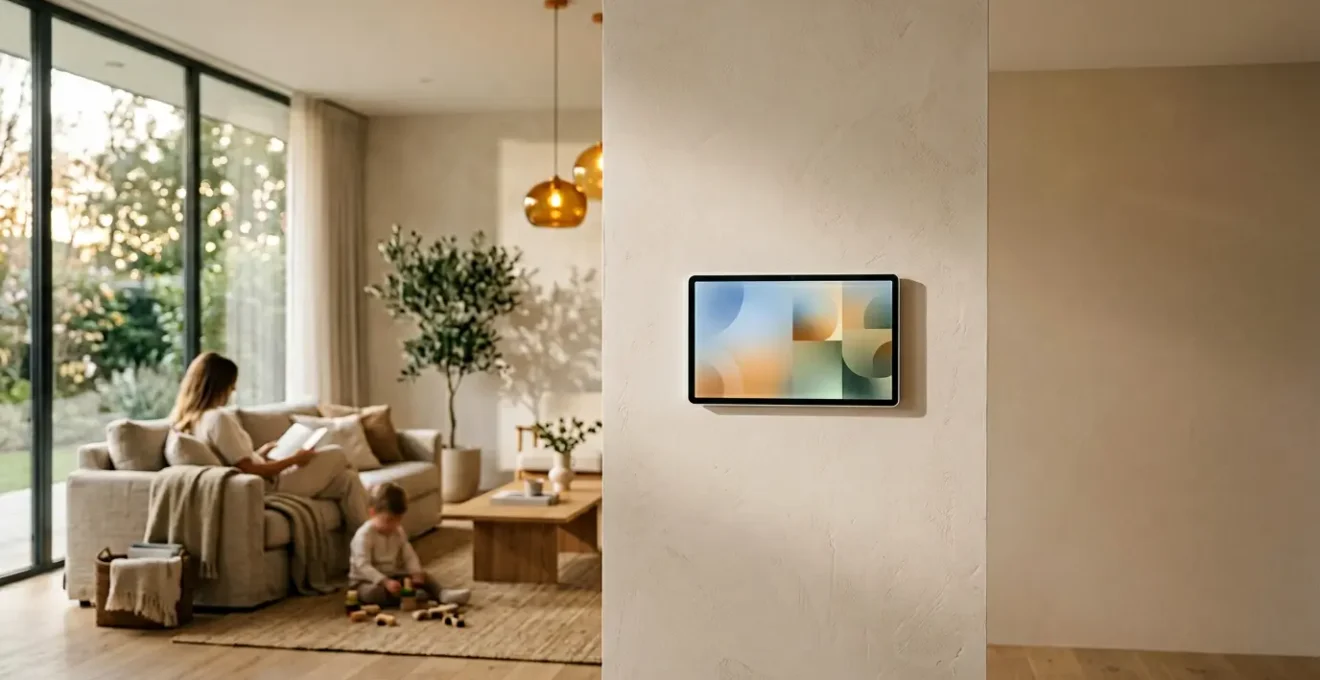
In summary:
- Treat your smart home not as a collection of gadgets, but as a « Domestic Operating System » designed for efficiency.
- Reduce cognitive load by automating decision-making around appliance management and daily routines.
- Implement a « priority queuing » system for heavy appliances to run during off-peak hours, cutting energy costs.
- Design automations with a « Guest Mode » in mind to prevent over-complication for visitors.
- Connect home task completion to work and personal habits to create protected blocks of family time.
For overwhelmed working parents, the evening can feel like a second shift. Juggling dinner, homework, and a seemingly endless list of household chores leaves little room for quality family time. The promise of the smart home was to alleviate this burden, yet many households find themselves with a collection of smart plugs and voice commands that add complexity rather than reduce it. The common advice to « set routines » or « automate your lights » barely scratches the surface of the problem, often creating rigid schedules that clash with the unpredictable nature of family life.
This approach treats the symptoms, not the cause. The real drain isn’t just the time spent on tasks, but the invisible mental effort—the cognitive load—of constantly managing, scheduling, and making micro-decisions about the household. But what if the solution wasn’t just adding more automations, but designing a truly intelligent system? The key is to shift your mindset from controlling individual devices to engineering a cohesive Domestic Operating System that anticipates your family’s needs, manages resources efficiently, and actively protects your time.
This guide will walk you through the strategic principles of building an intelligent adaptive schedule. We will move beyond basic timers to explore how to create a resilient, self-managing home workflow that genuinely gives you back your evenings and weekends. We will cover how to reduce cognitive load, create truly adaptive routines, avoid common pitfalls, and ultimately use this newfound efficiency to foster healthier habits and reclaim precious family hours.
Summary: A Strategic Guide to Intelligent Home Scheduling
- Why Manual Appliance Management Adds an Invisible Cognitive Load to Your Evening?
- How to Program a « Good Morning » Routine That Preheats the House and Starts Coffee
- Which Reacts Faster to Unpredictable Family Schedules Between Local Hubs and Cloud Routines?
- The Over-Automation Trap That Makes Basic Tasks Too Complex for Guests
- In What Sequence Should You Automate Heavy Appliances to Utilize Off-Peak Tariffs?
- How to Automate Routine Reporting to Save 4 Hours Every Workweek
- How to Integrate Daily Preventative Habits Without Overwhelming Your Corporate Schedule
- Why Proactive Preventative Healthcare Saves Thousands in Lost Private Income
Why Manual Appliance Management Adds an Invisible Cognitive Load to Your Evening?
The time you spend physically loading a dishwasher or switching on the heating is only a fraction of the total cost. The real tax on your energy is the « invisible work » of mental management. Should the dishwasher run now or later? Is it cold enough to turn up the thermostat? Did someone remember to start the laundry? Each of these questions represents a small decision that chips away at your mental reserves. When you’re already drained from a day of professional problem-solving, this added layer of domestic micromanagement becomes a significant source of stress.
This phenomenon is known as decision fatigue. While each choice seems trivial on its own, their cumulative effect is substantial. In fact, research shows that we make up to 35,000 decisions per day, depleting our cognitive resources with each one. In the evening, when your willpower and executive function are at their lowest, the burden of managing a household’s operational logistics can feel overwhelming. This is the invisible cognitive load that prevents you from being truly present with your family, even when you are physically home.
The goal of intelligent automation is not simply to perform tasks for you, but to eliminate the need for you to make these recurring decisions. By building a system that understands context—such as electricity rates, your schedule, and even who is home—you offload the mental processing from your brain to your home’s « operating system. » This frees up a significant amount of mental bandwidth, allowing you to transition from « household manager » to « engaged parent » the moment you walk through the door.
How to Program a « Good Morning » Routine That Preheats the House and Starts Coffee
A truly « smart » morning routine is not one that runs on a fixed timer, but one that adapts to your actual wake-up time. A rigid 6:00 AM start is useless if you decide to sleep in, and annoying if you’re up at 5:30. The key is to create a sequence of events triggered by your real-world actions, turning your morning from a frantic rush into a smooth, automated ramp-up. This is where you begin to see the power of a layered, adaptive system.
The process starts by setting up a chain of conditional triggers. Instead of a simple clock, the system uses your phone’s alarm as the initial catalyst. The entire sequence only begins when you actively disable the alarm, not when you hit snooze. This ensures the house wakes up when you do. From there, tasks are tiered based on energy consumption and immediacy.
This multi-tiered approach ensures efficiency and responsiveness. Your home doesn’t waste energy heating an empty house but is perfectly prepared the moment you are. Here is a practical framework for setting this up:
- Adaptive Wake-Up Trigger: Configure your routine to start only when your phone’s primary alarm is disabled (not snoozed). This is the master trigger that confirms you are officially starting your day.
- Tier 1 Activation (Low Energy): Immediately upon alarm dismissal, trigger low-impact actions. This could be slowly fading up the lights in your bedroom to 30% brightness or playing a soft news briefing on a smart speaker.
- Tier 2 Activation (High Energy): Use a secondary trigger, like a motion sensor in the hallway or bedroom doorway, to start high-energy appliances. When the sensor detects you’re out of bed, it signals the coffee maker to start brewing and the thermostat to bring the main living areas to a comfortable temperature.
- External Data Integration: Connect your automation system to your work calendar. The routine can automatically adjust its start time to be 15 minutes earlier on days with an 8:00 AM meeting.
- Dynamic Weather Adjustment: Integrate a local weather API. If the forecast shows an unexpectedly cold morning, the system can automatically command the pre-heating to start earlier or aim for a slightly higher target temperature.
This tiered, sensor-driven approach is the foundation of a truly adaptive « Domestic Operating System. » It responds to you, not a clock, ensuring resources are used precisely when and where they are needed. It’s the difference between a simple gadget and an intelligent workflow.
Which Reacts Faster to Unpredictable Family Schedules Between Local Hubs and Cloud Routines?
As you build your home’s operating system, you’ll encounter a critical architectural choice: should automations run on a local hub (like a dedicated device in your home) or in the cloud (on servers from companies like Amazon, Google, or Apple)? The answer depends entirely on the task’s need for speed and reliability, especially when dealing with the chaotic nature of family life. For time-critical events, local processing is unequivocally superior.
A local hub processes commands directly within your home network. When your child opens their bedroom door at night, a local automation can turn on a hallway nightlight in milliseconds. There’s no internet dependency, so it works even if your Wi-Fi is down. This makes it ideal for security, safety, and presence-detection triggers where instant response is non-negotiable. In contrast, a cloud routine sends the trigger to a remote server, which then processes the logic and sends the command back to the device in your home. This round trip, while often fast, can introduce a 1-3 second delay and fails completely during an internet outage.
However, the cloud excels at complexity. If you want a routine that checks your commute time, cross-references your partner’s calendar, and adjusts the thermostat accordingly, the cloud’s access to external data and powerful processing is essential. The optimal solution for a resilient family smart home is not an « either/or » choice, but a hybrid model that leverages the strengths of both. As this breakdown of family-friendly smart home strategies highlights, assigning the right task to the right processor is key.
| Processing Type | Best Use Case | Response Time | Internet Dependency | Complexity Handling |
|---|---|---|---|---|
| Local Hub Processing | Time-critical family presence triggers (baby monitor alerts, door sensors) | Near-instant (milliseconds) | Functions during outages | Simple rule-based automations |
| Cloud Routine Processing | Complex scheduling with external data (calendar integration, traffic updates) | Moderate (1-3 seconds) | Requires stable connection | Advanced multi-variable logic |
| Hybrid Model (Recommended) | Critical local + complex cloud tasks | Optimized per task type | Resilient fallback system | Best of both approaches |
By using a hybrid approach, you design a system with « graceful degradation. » Your critical safety and lighting automations remain robustly local, while more complex, convenience-oriented routines leverage the power of the cloud. This ensures your home remains functional and responsive, no matter the state of your internet connection or the complexity of your day.
The Over-Automation Trap That Makes Basic Tasks Too Complex for Guests
In the quest for a perfectly optimized home, it’s easy to create a system that is brilliant for you but utterly baffling for anyone else. When a guest, babysitter, or even your own child can’t figure out how to turn on a light without a specific voice command or a hidden app, you’ve fallen into the over-automation trap. A truly intelligent home must be intuitive and accessible to everyone, not just its primary architect. The most robust systems always include a clear, simple, and traditional way to perform basic functions.
This principle is known as graceful degradation in system design. It means that even when the « smart » layer fails or isn’t understood, the underlying function remains usable. A smart lightbulb should still be controllable by its physical switch. A smart lock must have a physical key backup. Forgetting this leads to frustration and makes your home less welcoming. The goal is to enhance functionality, not replace it entirely with a complex digital-only interface.
To avoid this trap, you should regularly audit your home’s usability from the perspective of a first-time visitor. This means ensuring that core functions—lighting, temperature control, entertainment—have an obvious manual override. A well-placed smart button, an NFC tag with simple instructions, or a dedicated « Guest Mode » that simplifies commands can bridge this gap. Your system should empower, not confuse, those you invite into your home.
Your 5-Point Guest Usability Audit
- The Light Switch Test: Can a first-time visitor turn on/off a light in the main living space without any verbal instructions? A pass requires a traditional switch or an obviously labeled, intuitive control.
- The Thermostat Test: Can they adjust the room temperature using an accessible interface within 30 seconds? A complex app-only control is a fail.
- The Entertainment Test: Can they play music or watch TV using no more than two simple steps? A multi-remote, multi-input process is a fail.
- The Access Test: Can they lock or unlock the main door using a physical backup method (like a keypad or key) that doesn’t require installing an app on their phone?
- The « Guest Mode » Test: Is there a single, visible trigger (e.g., a physical button, NFC tag, or simple voice command like « Alexa, turn on guest mode ») that simplifies all core functions to their most basic state?
Passing this audit ensures your domestic operating system is not just powerful but also thoughtful and inclusive. It maintains a crucial balance between advanced automation and fundamental usability, which is the hallmark of a truly well-designed smart home.
In What Sequence Should You Automate Heavy Appliances to Utilize Off-Peak Tariffs?
Running heavy appliances like your EV charger, dishwasher, and washing machine during peak electricity hours is like willingly paying a premium for no added benefit. Most utility companies offer Time-of-Use (TOU) or « off-peak » tariffs, providing significantly cheaper electricity overnight. By strategically scheduling these high-load tasks, you can achieve significant savings without any change in lifestyle. In fact, for many households, this simple shift can result in a 10-25% reduction in their monthly bill.
However, simply setting everything to run at 2 AM is a recipe for tripped breakers. A robust system requires priority queuing—a sequence that staggers the operation of heavy appliances to manage the electrical load effectively. This ensures tasks are completed efficiently without overwhelming your home’s circuits. Your home’s operating system should act as a load balancer, orchestrating these tasks in a logical order.
The sequence should be based on task duration and priority. Electric vehicle charging, often the longest and most critical task, should always come first to ensure the car is ready by morning. Other tasks can then be scheduled in the subsequent, cheaper hours. Here is a logical queuing system for your domestic operating system:
- Priority 1 (Critical – Run First): Schedule the EV charger to begin as soon as the off-peak window opens (e.g., 9 PM). The system should aim for completion before the morning peak period begins.
- Priority 2 (High – Run Second): Program your electric water heater to run during the « super off-peak » hours (often after midnight) when electricity rates are at their absolute lowest.
- Priority 3 (Medium – Run Third): Set the dishwasher’s delay start to run in the middle of the off-peak period (e.g., 1-4 AM). This avoids a direct load conflict with the initial EV charging surge.
- Priority 4 (Low – Run Last): Schedule the laundry washer and dryer to run sequentially in the early morning hours (e.g., 5-7 AM), completing their cycles just before the expensive peak period starts.
- Conflict Prevention Rule: Implement smart plugs with power monitoring. Create a rule that prevents the total concurrent load from all automated heavy appliances from exceeding 80% of your main circuit’s capacity, thus preventing breaker trips.
This automated, sequential approach to energy management is a cornerstone of a cost-effective smart home. It transforms your appliances from passive energy consumers into active participants in an intelligent, cost-saving workflow.
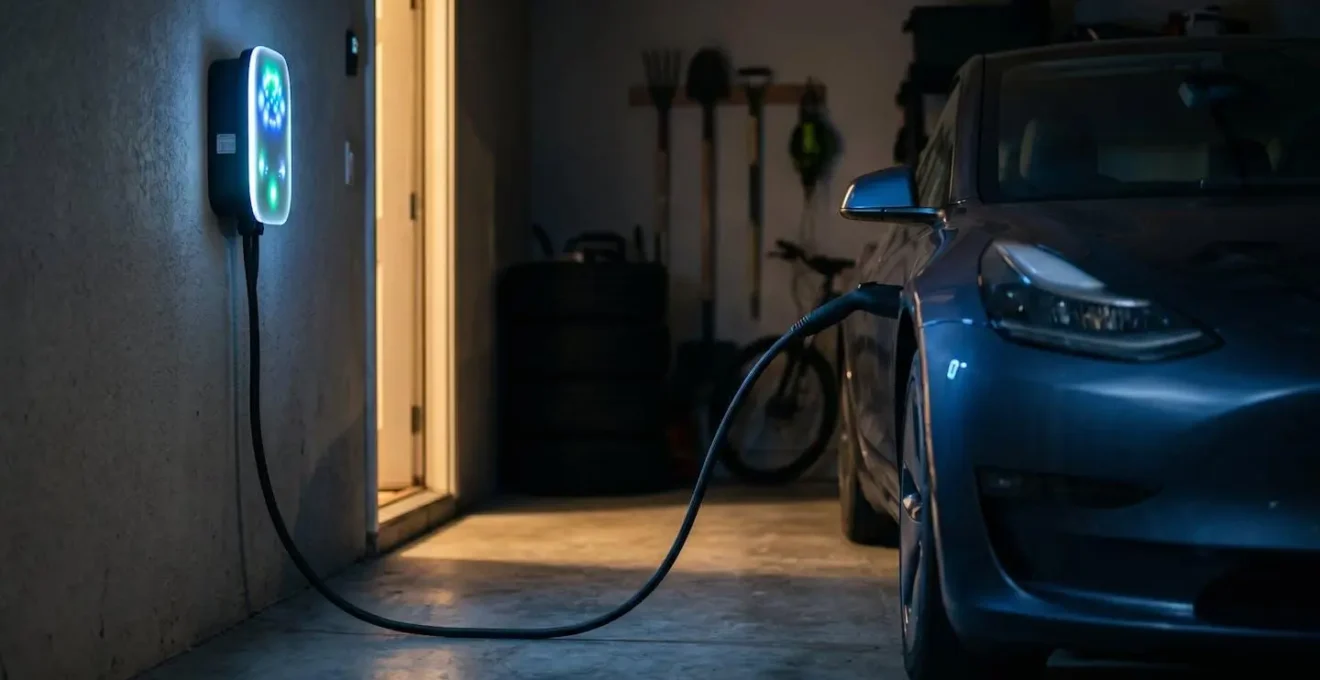
As the image illustrates, this process happens quietly in the background while you sleep. The smart charger manages the highest priority load, setting the stage for other appliances to complete their work in the most economical way possible, all orchestrated by your central home automation system.
How to Automate Routine Reporting to Save 4 Hours Every Workweek
The principles of intelligent automation are not confined to your home. Once you’ve optimized your domestic workflow, you can apply the same logic to your professional life, particularly to the repetitive, time-consuming task of creating reports. Manually gathering data, formatting spreadsheets, and emailing updates is a significant productivity drain. By automating this process, you can reclaim hours of your workweek, which can then be reinvested into more strategic work or, more importantly, converted directly into protected family time.
The impact of this shift is massive. Across industries, automated reporting tools can save an average of 33 hours per employee per month. This is time spent on low-value, repetitive work that is ripe for optimization. The goal is to move from a model of « report generation » to one of « information on demand, » where stakeholders can access live data whenever they need it, eliminating the need for you to act as a manual data courier.
This transition not only frees up your time but also creates a powerful new opportunity: boundary triggers. You can create an automation that recognizes when your work-related automation tasks are complete for the week. This trigger can then perform an action that actively protects your personal life, such as automatically blocking out « Family Time » in your calendar or sending you a notification that you’re clear to log off. It’s about using automation not just to do work, but to create and enforce the boundaries that separate work from family life.
- Audit Recurring Reports: Identify all weekly or monthly reports you create. Determine which can be replaced entirely by a live, self-service dashboard.
- Build Live Dashboards: Use tools like Google Data Studio or Microsoft Power BI to connect directly to your source data systems. This provides stakeholders with real-time information 24/7, making static reports obsolete.
- Create a « Boundary Trigger »: Program a rule: IF all weekly reporting automations are complete AND it is after 2 PM on Friday, THEN automatically create a calendar event named « Protected Family Time » from 3 PM to 5 PM.
- Implement Positive Reinforcement: Set up an automated notification to your phone that says, « All weekly reports are done. Go be with your family, » as soon as the final task completes.
- Launch a « Zero-Report Challenge »: To combat reporting debt, send a monthly automated email that lists all recurring reports and requires stakeholders to actively opt-in to continue receiving them. Any report that gets no opt-ins is automatically deprecated.
By applying these domestic workflow principles to your job, you transform automation from a simple time-saver into a powerful tool for enforcing work-life balance, directly contributing to more time with your family.
How to Integrate Daily Preventative Habits Without Overwhelming Your Corporate Schedule
Reclaiming time is only half the battle; the other half is using that time effectively to improve your well-being. For busy parents, finding time for preventative habits like exercise, stretching, or mindfulness can feel impossible. The key is not to find a new 30-minute block in your already packed schedule, but to « stack » these micro-habits onto the automated events that are already happening in your home. Your domestic operating system becomes a pacer for your personal wellness routine.
This method, known as trigger-based habit stacking, uses the guaranteed downtime created by your home automations as a cue for a healthy action. The 4-minute wait for your automated coffee to brew is no longer dead time; it’s a dedicated window for a morning stretching routine. The 2 minutes it takes for the dishwasher to start its cycle becomes a prompt for a set of desk exercises. By linking a desired habit to an inevitable, automated event, you remove the friction and decision-making required to start.
Your system can even become an active participant in your wellness. By scanning your calendar, it can identify days packed with back-to-back meetings and proactively suggest a « micro-habit, » like a 10-minute walk, instead of the full 60-minute gym session you’d otherwise skip. It can also scan all family members’ calendars to find shared free time, then suggest a combined health and quality-time activity, like a family bike ride. This integrates personal well-being directly into the family’s operational rhythm.
- Coffee & Stretch Stack: WHILE your automated coffee machine is brewing (a guaranteed 4-minute window), THEN perform your 4-minute morning stretching routine right in the kitchen.
- Dishwasher & Desk-ercise Stack: WHEN the dishwasher automation begins its cycle, THEN use the brief waiting period to do a 2-minute breathing exercise or a quick set of desk stretches.
- Adaptive Workout Scheduling: Your system checks your calendar density. On heavily scheduled days, it sends a notification: « Busy day ahead. Suggesting a 15-minute walk at lunch instead of the gym. »
- Family-Integrated Habits: The system identifies a shared 30-minute gap in everyone’s calendar and sends a group notification: « Everyone is free at 4:30 PM. Suggestion: Family dog walk. »
- Automation as a Workout Window: The pre-cooling of your house during off-peak hours can double as a workout trigger. You exercise in a comfortable environment while the AC runs at its cheapest rate.
In this model, your smart home does more than manage chores. It becomes a wellness coach, seamlessly weaving preventative health practices into the fabric of your daily life without adding another item to your to-do list.
Key Takeaways
- The true cost of household management is not time, but the cognitive load from constant decision-making.
- An effective smart home operates as a « Domestic Operating System, » using priority queuing and adaptive triggers rather than rigid timers.
- Always design for graceful degradation, ensuring your home remains intuitive and usable for guests with simple, manual overrides.
Why Proactive Preventative Healthcare Saves Thousands in Lost Private Income
The cumulative effect of implementing an intelligent adaptive schedule goes far beyond convenience or even reclaiming a few hours. It is a direct investment in proactive preventative healthcare, a strategy that yields significant financial returns by preserving your most valuable asset: your ability to earn an income. The time, energy, and mental bandwidth you reclaim by automating your domestic and professional workflows are resources that can be deployed to reduce stress, improve physical health, and prevent burnout—the very factors that lead to costly sick days and lost productivity.
Chronic stress and exhaustion are not just feelings; they are liabilities. They degrade your immune system, impair cognitive function, and increase the risk of serious health issues that can force you out of work for extended periods. For working parents, especially those who are self-employed or in high-stakes roles, even a few days of lost income can amount to thousands of dollars. A week or more can be financially devastating. Proactive healthcare—which includes adequate sleep, regular exercise, and sufficient mental downtime—is the most effective insurance policy against this risk.
The « Domestic Operating System » we have outlined is the engine that powers this preventative strategy. By drastically reducing your daily cognitive load, it frees up the mental energy needed to be present and engaged with your family, which is a powerful antidote to stress. By automating routines and creating boundary triggers, it manufactures the time required for exercise and rest. The financial savings from off-peak energy use are a bonus; the real return on investment is measured in your sustained health, focus, and uninterrupted earning potential.
Ultimately, optimizing your home is not about the technology itself. It is about creating an environment that actively supports your health and protects your time. This foundational stability allows you to perform at your best, both professionally and personally, safeguarding your income and, more importantly, your long-term well-being.
Start today by auditing one area of your home. Identify the most repetitive decisions you make and design a simple, adaptive automation to handle them. This first step is the beginning of building your own Domestic Operating System and reclaiming the time you deserve.